Why did Codacy stop commenting on pull requests?#
Pull request not updated in the last 15 days#
Codacy doesn't automatically analyze or comment on pull requests that haven't been updated in the last 15 days, focusing the analysis on the work that is currently active.
This is based on the date the pull request was last updated on your Git provider, and not on the date it was created. A pull request that was opened a long time ago but received a recent update is still analyzed.
To have Codacy analyze one of these pull requests, do one of the following:
-
Reanalyze the pull request from the Pull Requests page. Reanalysis works regardless of how long ago the pull request was updated.
-
Push a new commit to the pull request, which updates it on your Git provider and brings it back into the 15-day window.
Note
This also applies to the pull requests that are already open when you add a repository to Codacy: the ones that haven't been updated in the last 15 days aren't analyzed automatically.
Outdated app permissions#
This section applies to Codacy Coverage on GitHub
Coverage information is currently sent to GitHub by a new version of the Codacy Coverage engine, which depends on updated app permissions.
If you stopped seeing coverage information in the pull request summaries, please review and accept the updated Codacy app permissions on GitHub. For more information on the rollout of the new Coverage engine, see the relevant release note.
Outdated permissions or invalid SSH key#
This section applies to GitLab and Bitbucket
Different reasons can cause Codacy to stop analyzing and commenting on pull requests, but the most common is that the user who initially enabled the GitLab or Bitbucket integration no longer has permissions on the repository or that the SSH key is no longer valid.
To fix this issue and avoid future disruptions, refresh the GitLab or Bitbucket integration on Codacy using a dedicated service account on your Git provider:
-
Create a service account on your Git provider exclusively dedicated to integrating Codacy with your repositories.
Note
The service account must:
- Have administrator permissions on the repositories to integrate with Codacy
- Not be shared by other systems to ensure that Codacy doesn't hit the API rate limits of the Git provider when using this account
Tip
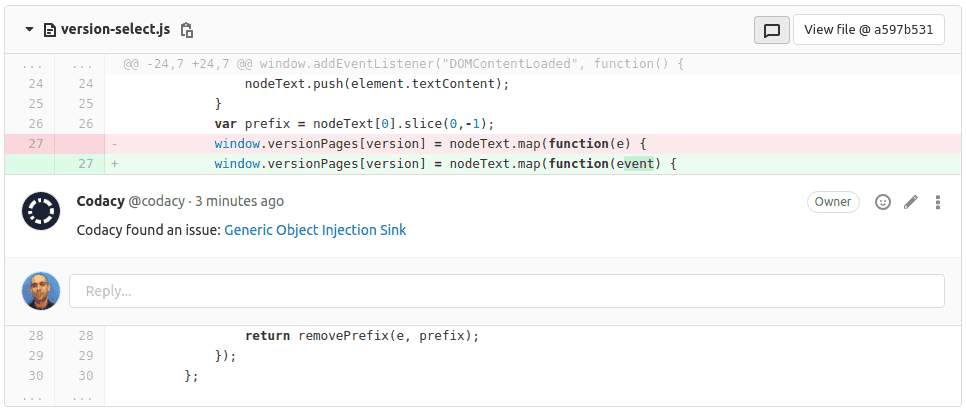
Using a dedicated service account also has the advantage of any pull request comments made by Codacy appearing as authored by the service account instead of by a regular organization member. You can name this account "Codacy" and use this Codacy logo as the account picture so that your pull request comments look like the following example:
-
Log out of both your Git provider and of Codacy.
-
Log in to Codacy using the new service account.
-
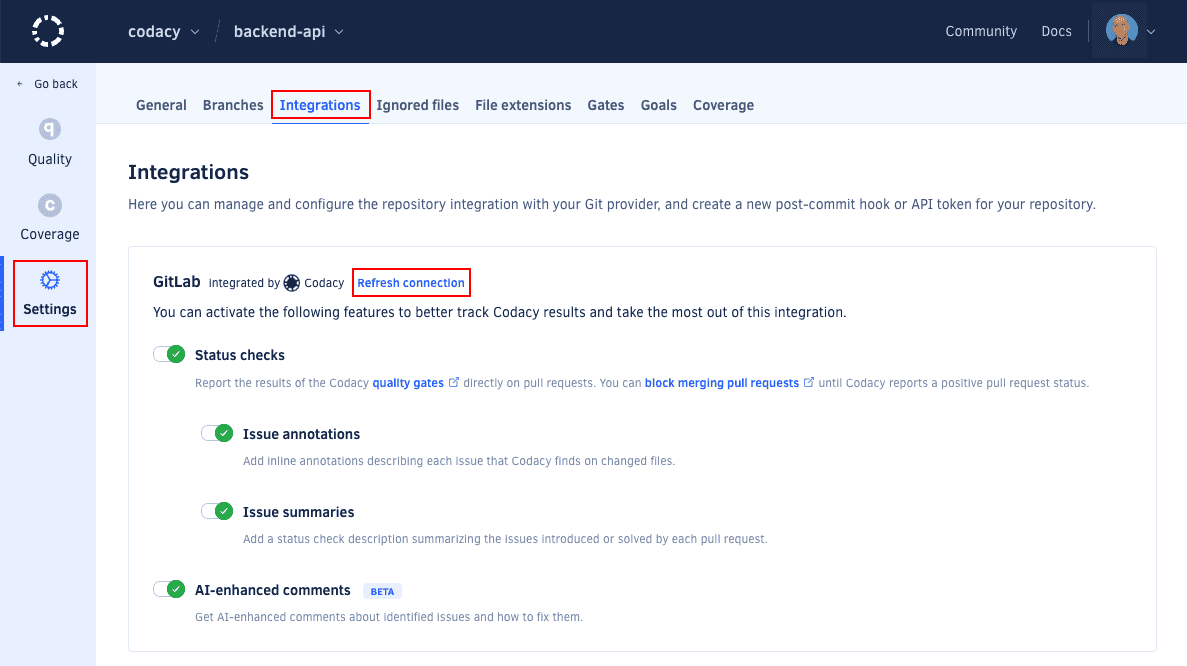
Open your repository Settings, tab Integrations, and click the link Refresh connection to refresh the existing Git provider integration:
-
Make sure the Git provider integration is configured as needed:
See also#
- We no longer have access to this repository, check your SSH keys
- Does Codacy place limits on the code analysis?
- How do I reanalyze my repository?
Was this page helpful?
Your feedback helps us improve the documentation.
255 characters left
Thanks for helping improve Codacy documentation.
For more detailed feedback, open an issue on GitHub.